Ulak

What does it do?

What everyday API work needs, screen by screen.

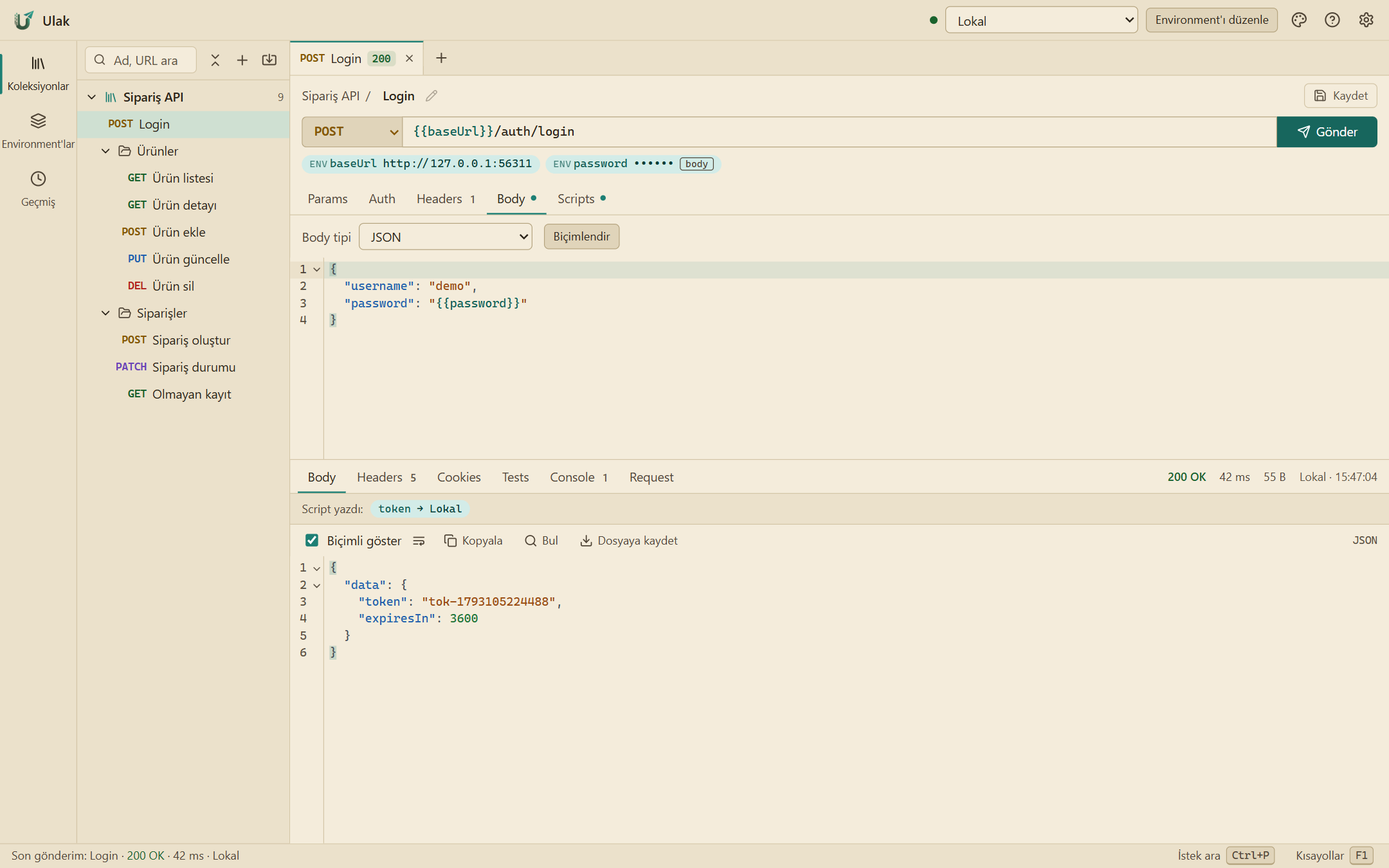
Request and response

Method, URL, params, headers, body and auth on one screen. The response is formatted; headers, cookies, tests and script output have their own tabs.

  • JSON, form, multipart, raw and file bodies
  • Formatted JSON, search, save to file
  • An error card that says what happened and what to do
  • Send history, with responses
A Login request and its 200 OK JSON response

Environments and variables

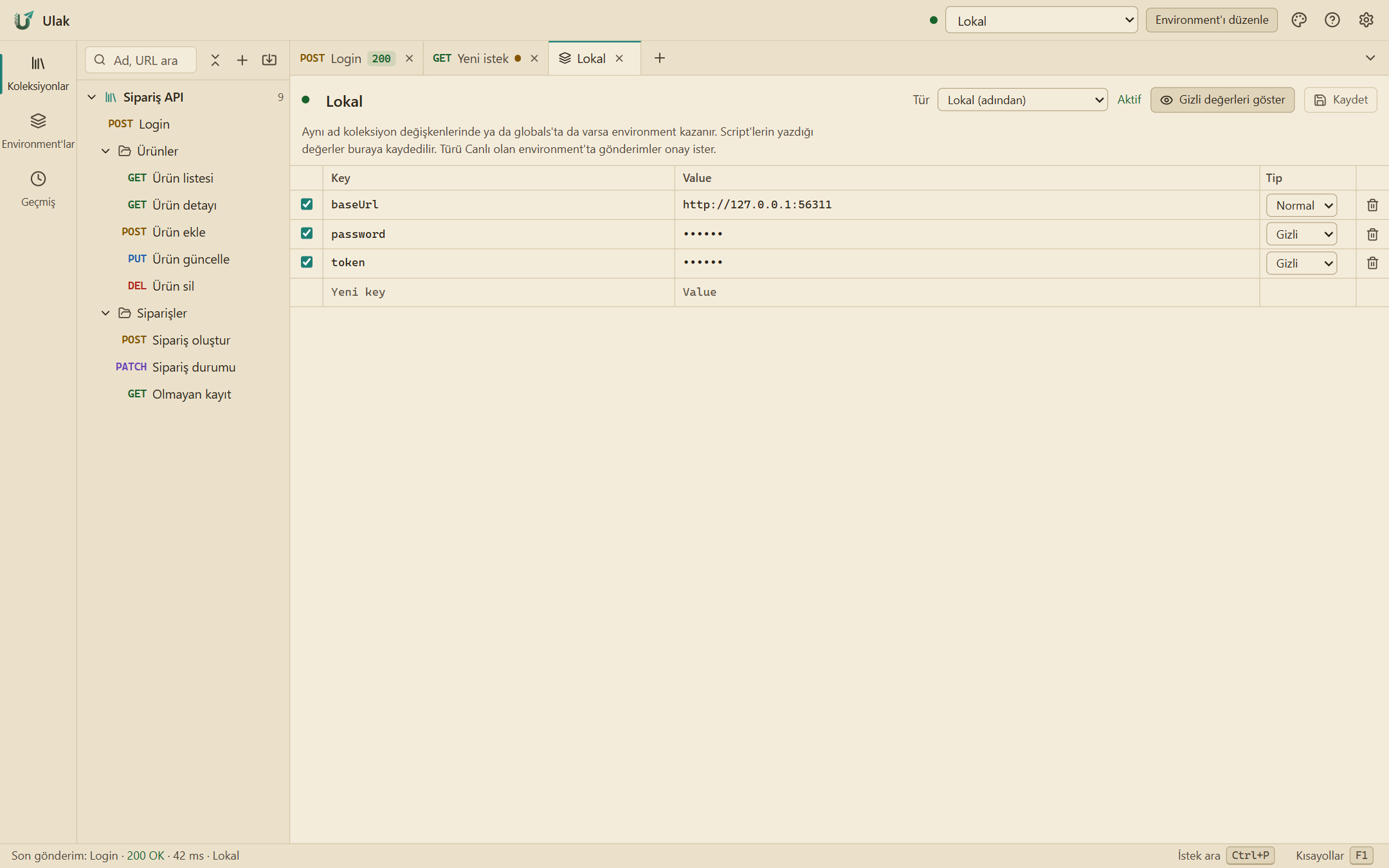
Local, test and production live in separate environments. Every variable in the URL shows its value below it; the top bar warns you when production is selected.

  • Environment, collection and global variables
  • Secret values masked
  • Define an undefined variable in one click
  • Variables written by scripts are shown with the response
Editing an environment: variables, values and types

Postman, OpenAPI, cURL

Files exported from Postman open in Ulak, and files exported from Ulak open in Postman. Unknown fields are kept.

  • Postman Collection v2.1 and environments, without loss
  • Swagger 2 / OpenAPI 3: from a file or a link
  • Export a collection as OpenAPI
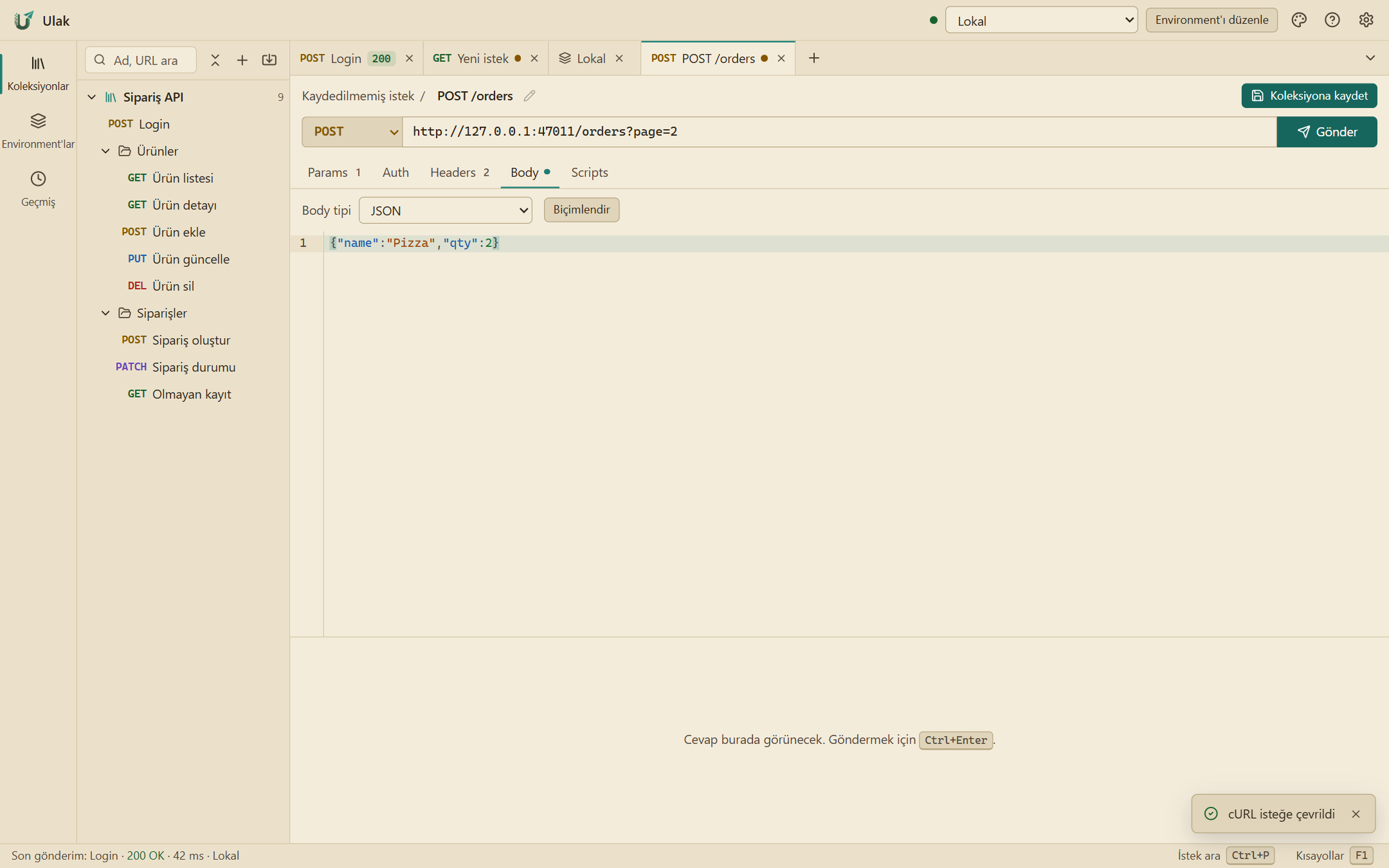
  • Paste a cURL command, get a request
A request created from a cURL command

Authentication

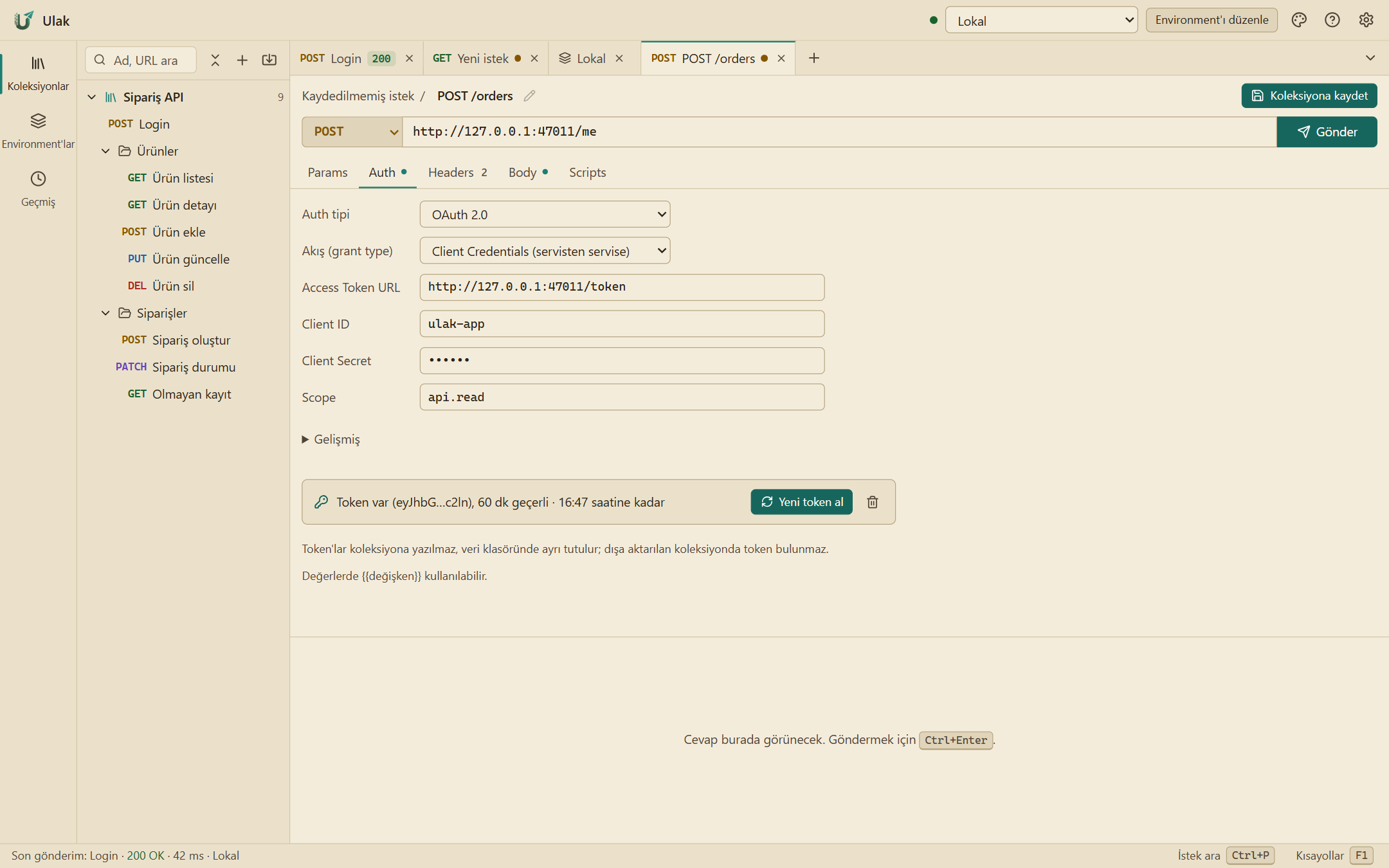
Define auth once on a collection or folder and the requests below inherit it. Ulak fetches, stores and refreshes OAuth tokens.

  • Bearer, Basic, API key
  • Digest (MD5, SHA-256)
  • OAuth 2.0: client credentials, password, authorization code + PKCE
  • pm.* pre-request and test scripts
OAuth 2.0 auth settings

Live data

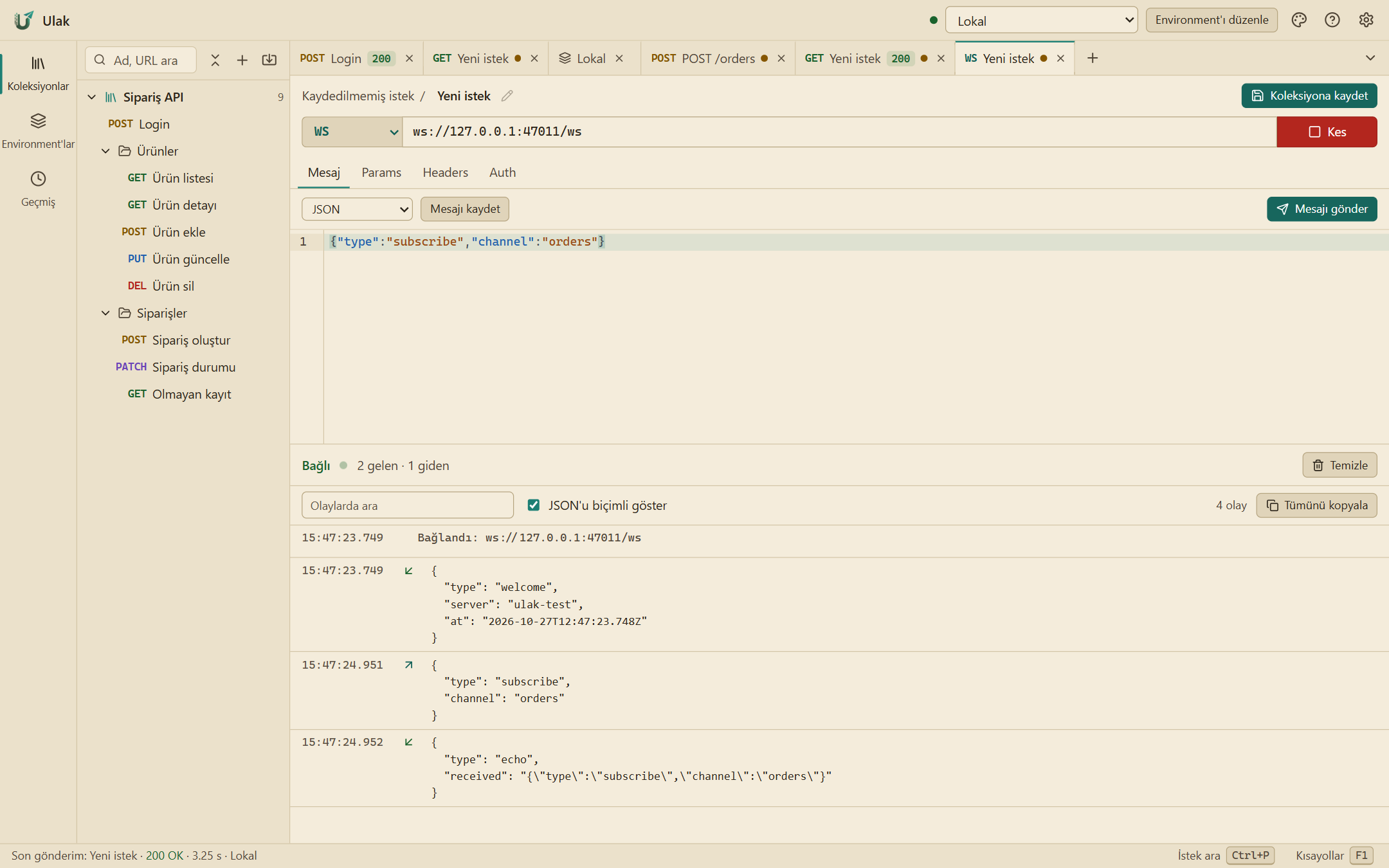
Long-running responses show up without waiting. SSE and NDJSON are listed event by event; on a WebSocket you save messages and send them again.

  • Server-Sent Events and NDJSON
  • WebSocket: connect, send, saved messages
  • Incoming and outgoing in one searchable stream
  • WebSocket items are kept in the collection
A WebSocket connection: sent and received messages

Easy on the eyes and hands

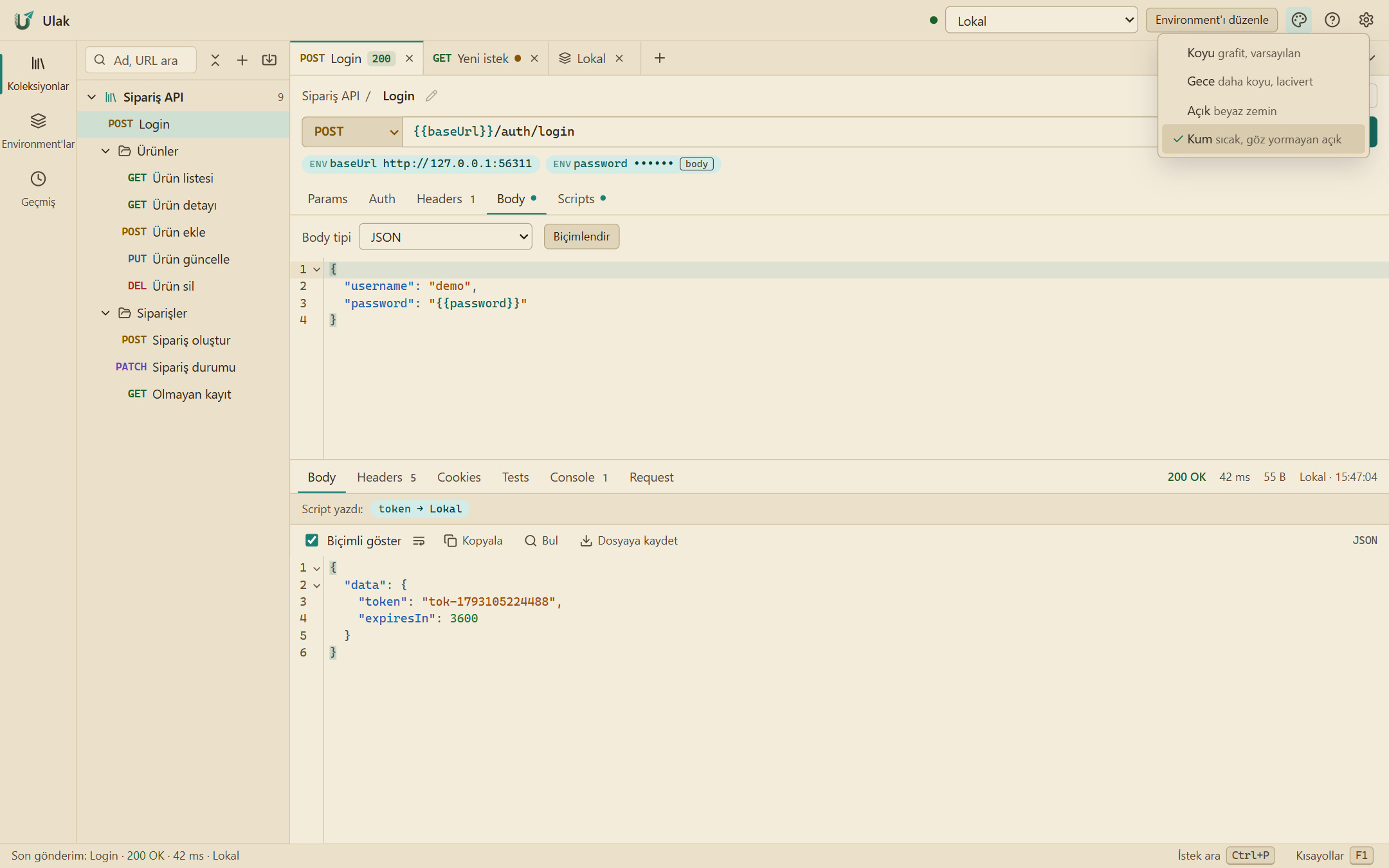
Four themes, two languages and keyboard shortcuts. The app keeps everything in a folder on your computer.

  • Dark, night, light and sand themes
  • Turkish and English interface
  • Ctrl+P command palette, F1 shortcut list
  • Data in a folder on your computer
The theme menu open: dark, night, light and sand themes
Try the live demo